
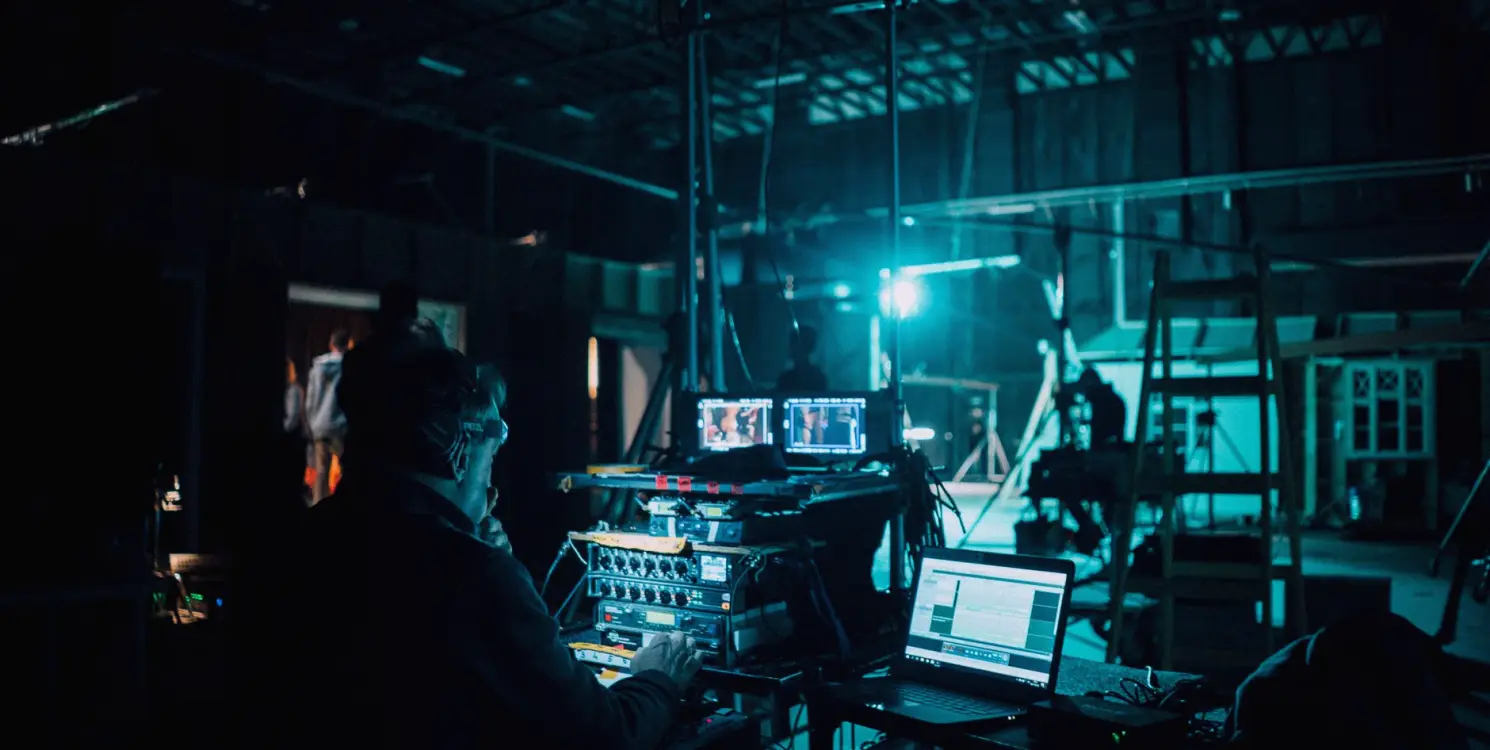
Commissioning a Studio Gallery: A Practical Walk-Through Before Go-Live
A practical guide to testing vision mixers, monitors, intercom and routing as one system, so the gallery is proven end to end before the first live programme goes out.
Start with a signal map, not a shopping list
Before anything is plugged in, draw the whole gallery on one sheet: every camera, microphone feed, graphics source and playout machine on the left, every destination on the right, and the routing, mixer and intercom in between. As a camera director I read this sheet the way I read a shot plan. If a source has no clear path to a monitor, a recorder and the programme output, the gap will show itself on the day of the first rehearsal.
Label each path with the format it carries and the cable or link type it uses. Mixed formats are the usual source of surprises in autumn refits, when an older camera is kept alongside new ones. Note where a converter sits, who owns it and where the spare is stored. A gallery that is documented this way can be handed to a new engineer without a long explanation.
- List every source and every destination
- Record the format and cable type of each path
- Mark converters and name their spares
Build and label the rack in a fixed order
Rack work goes faster and safer when it follows one order: power distribution first, then routing, then the vision mixer frame, then intercom, then monitoring. Each stage is powered up and checked before the next is added. If something misbehaves, you know which stage introduced it, rather than hunting through a finished rack where everything is connected to everything else.
Label both ends of every cable with the same short code and keep a printed copy of the code list inside the rack door. It feels slow while you are doing it and saves a great deal of time when a producer asks for a change ten minutes before transmission. Leave a little slack in each run and keep power and signal leads apart wherever the layout allows.
Test each path, then test the paths together
Testing in isolation is necessary but not sufficient. First confirm that each source reaches each destination at the right format, with the right audio embedded and no frame drops. Then run the combinations a real programme uses: all cameras live, a graphics key over the top, a remote guest on the return feed and a recording running at the same time. Many faults only appear when the system is busy.
Keep a written test sheet with a column for the date, the person who ran the check and the result. When a fault is cured, repeat the whole sequence it touched, not just the one step. Reliability in a gallery comes less from the equipment chosen and more from the habit of proving the same checks every time something changes.
- Check format, audio and timing on every path
- Run a full-load test with recording and a return feed
- Repeat the affected sequence after every fix
Make the intercom a first-class system
Intercom is often treated as an afterthought, yet it is how the director, the camera operators, sound and the floor manager hold the show together. Test every belt pack and panel in every group you intend to use, and speak a short script through each: a camera cue, a count to the next item and a call for a standby. Listen for background hum, clipping and any key that opens the wrong channel.
Agree the party-line groups before the first rehearsal and write them on a card at each position. A presenter should never hear a gallery instruction, so confirm that talkback to the studio floor goes only where it is meant to go. A short conversation about who speaks and when does more for a calm gallery than any additional piece of hardware.
Rehearse the failure you hope never happens
Once the system works, break it on purpose, in rehearsal and with the team watching. Pull a camera feed, switch off a monitor, take the primary playout machine offline and see how long it takes to recover. Each exercise shows whether the backup path is real and whether the people in the gallery know where it is.
Note the recovery time and the exact steps taken, then put them on a one-page card beside the mixer. Not every fault can be prevented, but a team that has already recovered from it once will treat it as a routine task rather than an emergency. Do this again after any significant change to the rack or the crew.
- Pull a camera feed during a run-through
- Take the main playout offline and time the recovery
- Write the steps on a card by the mixer
Hand over with a short, honest document
The last task is the handover. Give the production team a short document that covers the signal map, the label codes, the test sheet, the intercom groups and the recovery cards. Walk through it with the people who will run the gallery, not only with the manager who signed off the work, and let them ask questions while the rack is still open in front of them.
Agree who to call, and for what, in the first weeks of live use. Small adjustments are normal at that stage and are easier when the engineer who built the gallery has seen how it behaves under a real running order. Handover is not the end of the job, only the point at which the team takes over.
A gallery that works as one system is built in a sensible order, labelled clearly and tested as a whole before anyone relies on it. Draw the map, build stage by stage, test busy as well as quiet, treat intercom seriously, rehearse a failure and hand over in plain language. None of this is complicated, but it needs discipline, and that discipline is what lets a team go on air calmly.
Keep reading
Why does my studio sound hollow on air, and what can be done about it
The question we hear most about acoustics: why speech sounds boxy on air even with good microphones. Helen Marsden explains what is usually behind it and how it is put right.
What Camera Crews Cost and What Moves the Price
A plain account of how camera operation and direction is priced for live television, which choices raise or lower the quote, and what to settle before asking for one.
Daniel Pryce
Lead Camera DirectorDaniel plans shots and directs camera crews for interviews and live panel shows.
Get in touch
Email: hello@vogueza.org